ChangeNOW held my XMR swap for KYC — next time compare peer Offers first

The Instant tile said no KYC. You sent USDT (or BTC) to the deposit address. Then the status flipped: verify with SumSub, or wait for a refund minus network fees. ChangeNOW’s own FAQ describes that path — automated risk flags, identity check, three-day window. The coins are already gone from your wallet. The “no KYC” story just became a hold. Next time, put a peer BUY card next to the Instant quote before you broadcast.
At a glance
| Field | Value |
|---|---|
| Topic | Mid-funnel: Instant KYC hold after deposit → peer Offers next time |
| Product | Domestic Monero — Telegram Mini App peer offers |
| P2P assets (DM) | XMR ↔ BTC, LTC, ETH, SOL, USDT (ERC-20 on Ethereum mainnet) |
| Official entry | @domestic_monero_bot |
| Support | /support on that bot only — Trade #ref + trade state |
| What this is not | ChangeNOW support script; refund guarantee; Instant-speed claim; “DM never flags” |
Disclaimer
This article is editorial opinion and general information, not legal or tax advice. Instant desk policies change; read the provider’s current terms. Rules vary by country.
What the hold actually is
ChangeNOW (and cousins routed through aggregators) can pause an exchange when risk systems flag the deposit. Public FAQ language: verify identity via a KYC vendor, or refuse and receive a refund to the deposit source minus fees — often with address blacklisting afterward. Monero deposits can also trigger spend-proof ownership checks. None of that is a peer trade. It is a provider window where you already sent funds.
Fee / privacy-tax framing for the same trap family: Privacy tax on KYC Monero swaps. Abort before deposit: Got a swap quote — when to abort. After expiry/underpay messes: Swap deposit after quote expired.
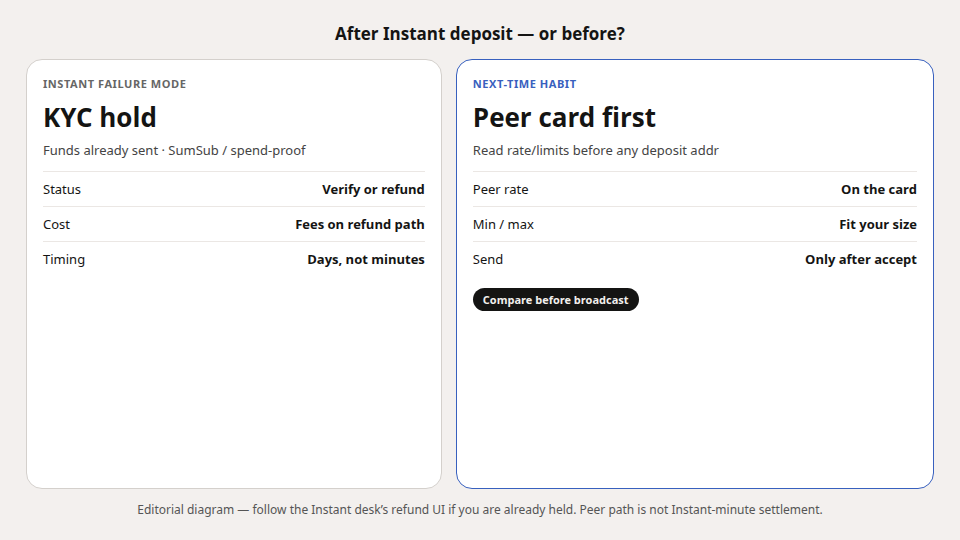
Next-time habit (peer compare first)
- Verify @domestic_monero_bot — Verify official.
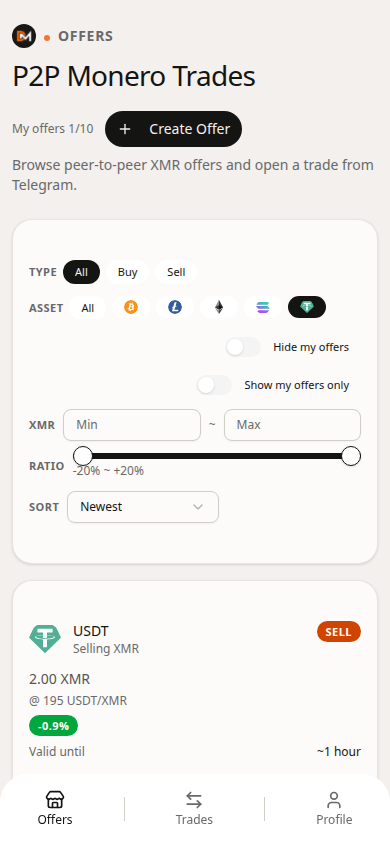
- Open Offers. Filter the asset you were about to deposit (USDT ERC-20, BTC, ETH, …).
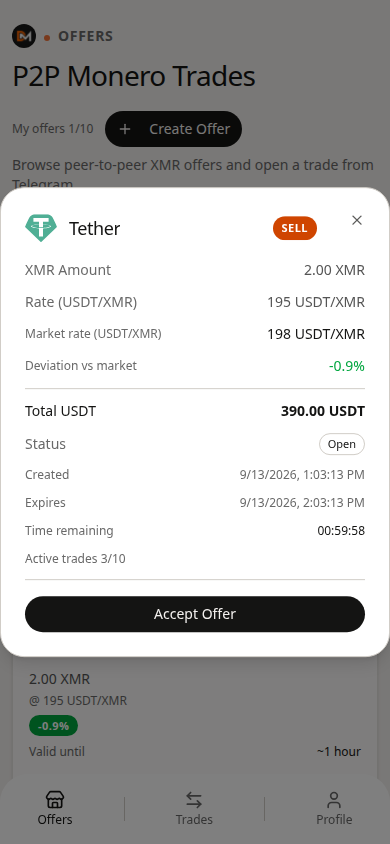
- Put Instant’s “you receive” XMR next to the peer card’s rate / limits / deviation.
- If the peer card wins on all-in and fits min/max, accept — then send to the trade address, not the Instant deposit.
- Save the trade share. Support is
/support+ Trade #ref only.
One concrete number: if Instant already looks ~1.5%+ worse after network fees — or you cannot stomach a post-deposit identity ask — do not “send anyway because 09:40 remains.” Peer books need a counterparty; Instant does not. Pick consciously.
If you are already stuck mid-hold
Follow the Instant desk’s refund / verify UI. Domestic Monero cannot unblock ChangeNOW. After funds return (minus fees), re-run the peer compare before the next deposit. Do not paste trade shares or seeds into anyone claiming to be “swap support.”
Terms in this article
| Term | Meaning (public) |
|---|---|
| Instant deposit | One-time provider address + countdown |
| KYC hold | Provider pauses payout pending identity / ownership checks |
| Offer | Peer card: rate, limits, payment asset |
| Trade share | Credential you keep for settlement / refund paths |
FAQ
Does Domestic Monero promise “no KYC forever”?
Product claim: no exchange-account signup. That is not a legal exemption and not a guarantee about other services.
Is peer P2P immune to bad counterparties?
No. You still read limits, pay the named rail, and keep the trade share. Stages and multisig mechanics ≠ Instant minutes.
USDT network on DM?
ERC-20 on Ethereum mainnet only.
What to do next
Before the next Instant deposit, open @domestic_monero_bot → Offers → filter your send asset → put the Instant “you receive” number beside the peer card’s rate/limits/deviation. If the peer card wins, accept inside limits — do not re-learn the SumSub screen the hard way.
Open the appRelated